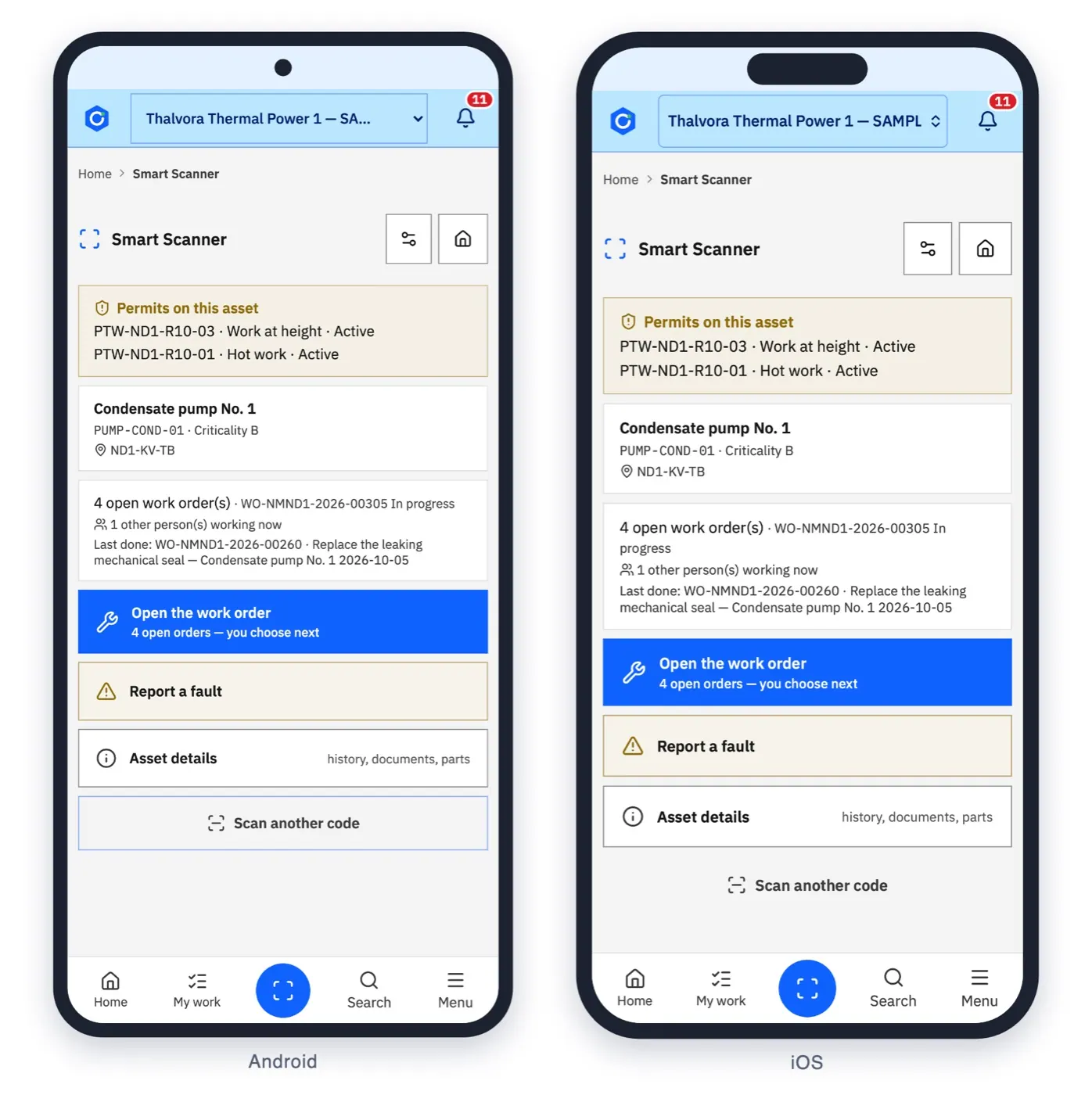
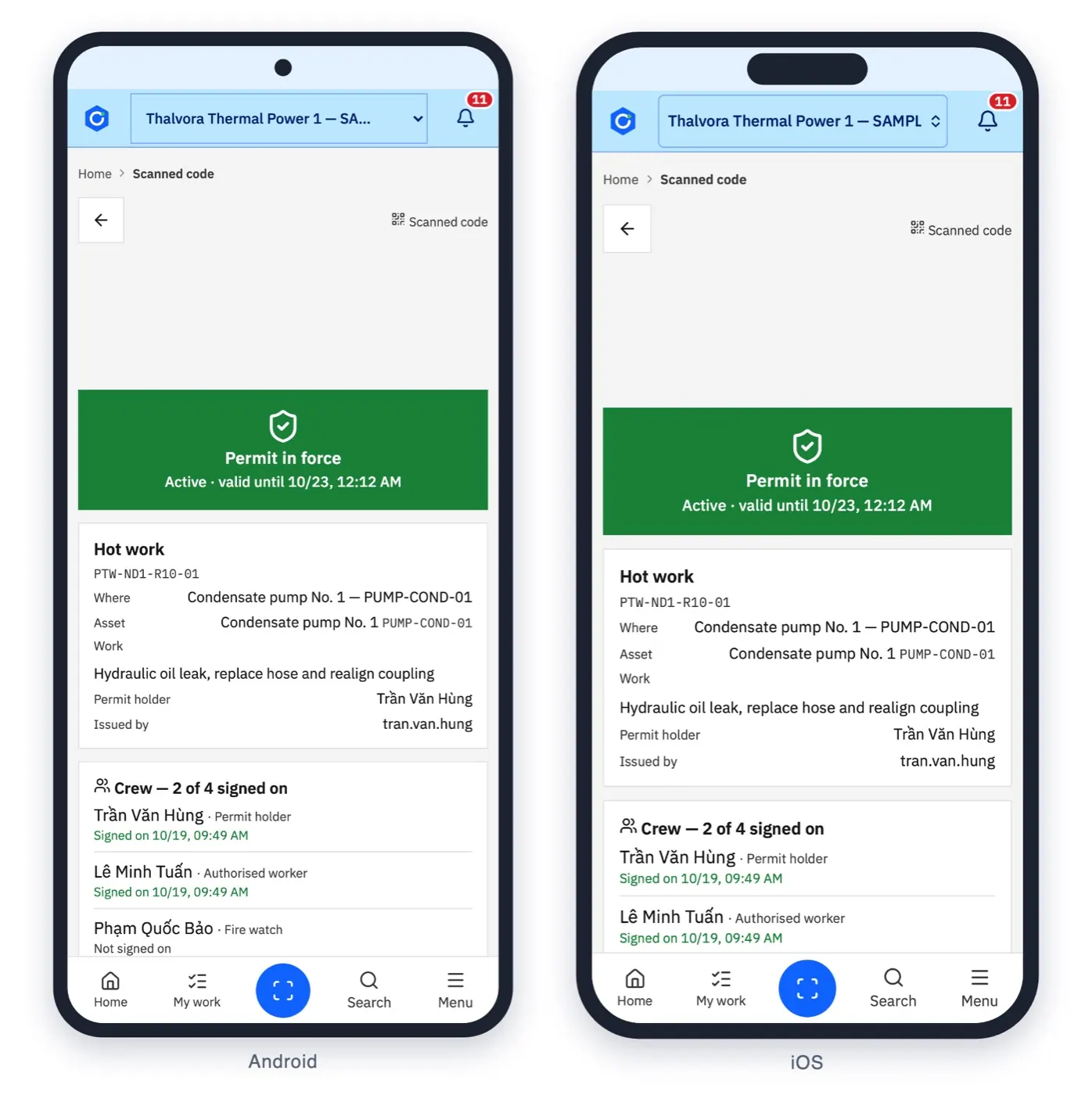
The operator scans the QR on the pump.
The card shows what is already on the asset: permits, open work and who else is working there.
One job, end to end
The card shows what is already on the asset: permits, open work and who else is working there.
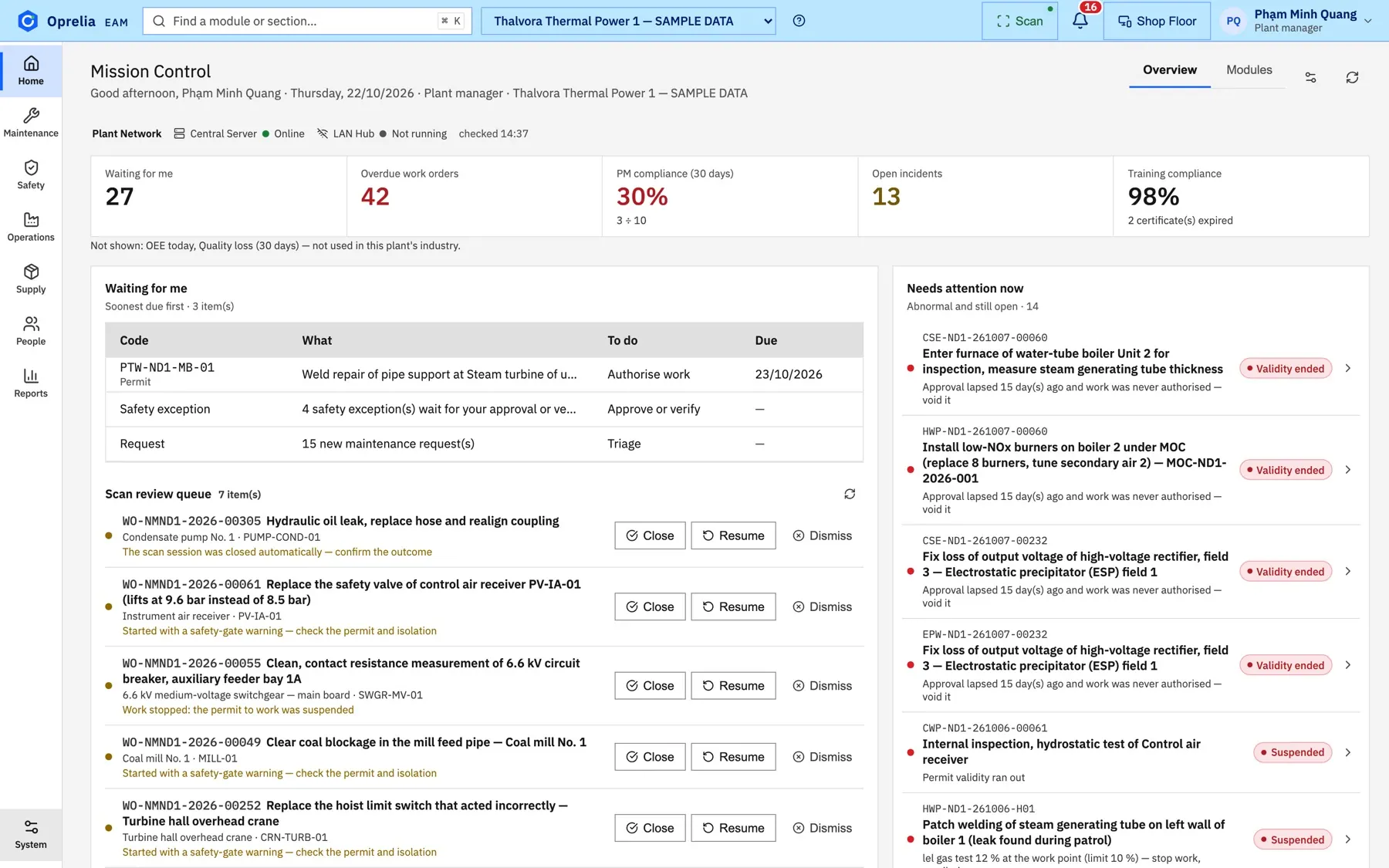
The fault reported from the field lands in the planner's queue with the asset and its history attached.
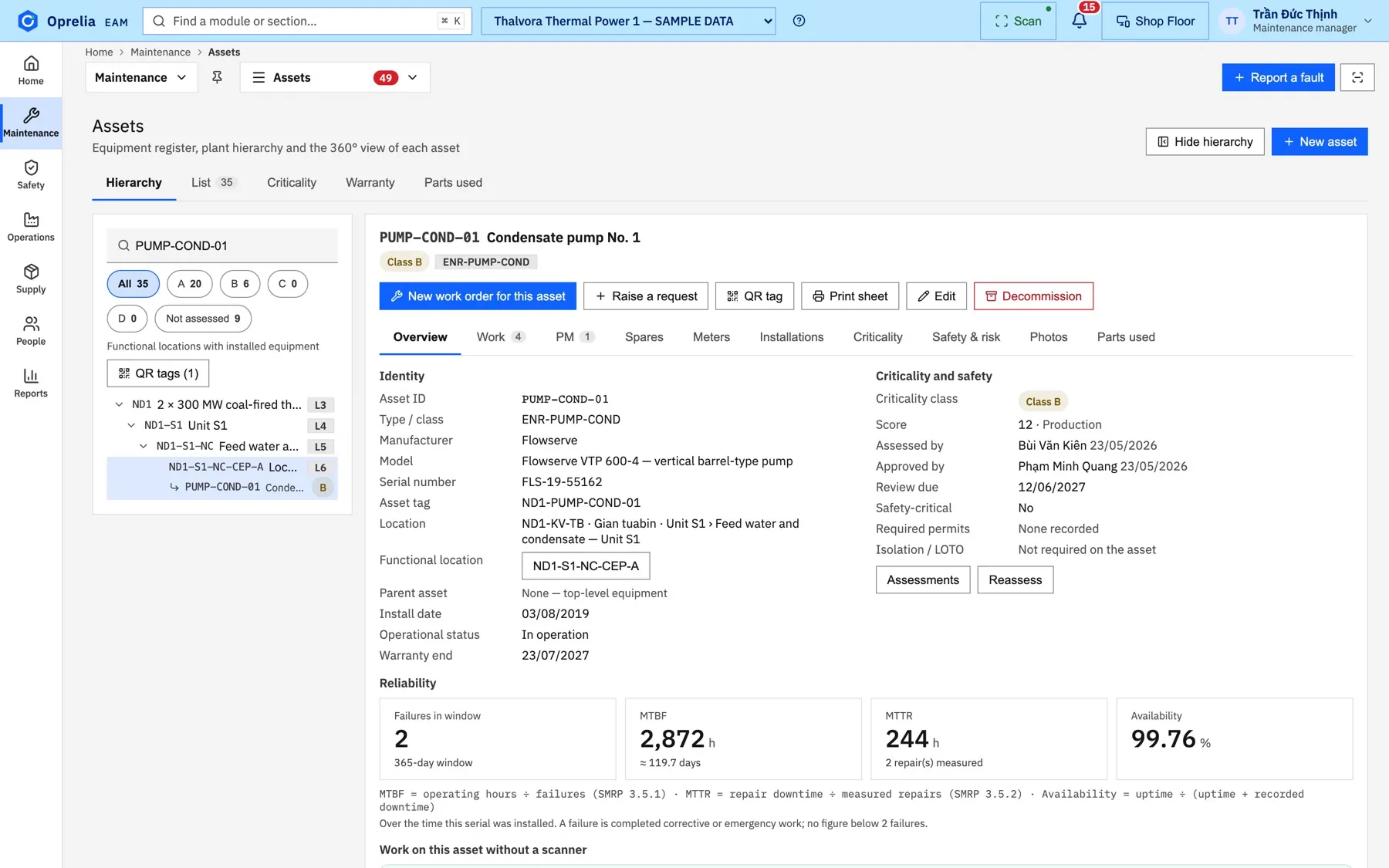
Spares are checked against the store before the job is scheduled, so the crew does not wait at the counter.
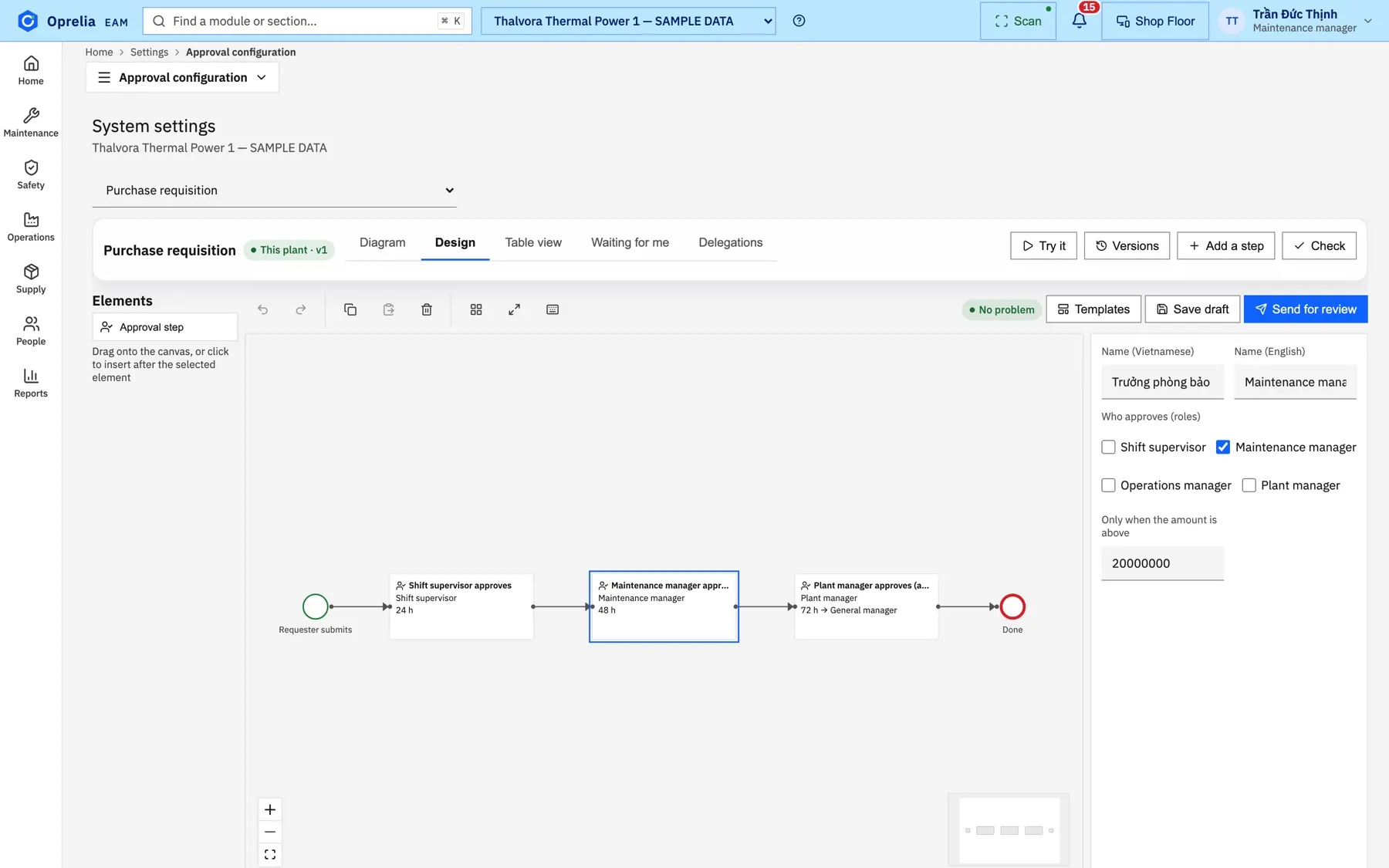
Each approver sees the job in "Waiting for me"; the chain follows the rules your site designed.
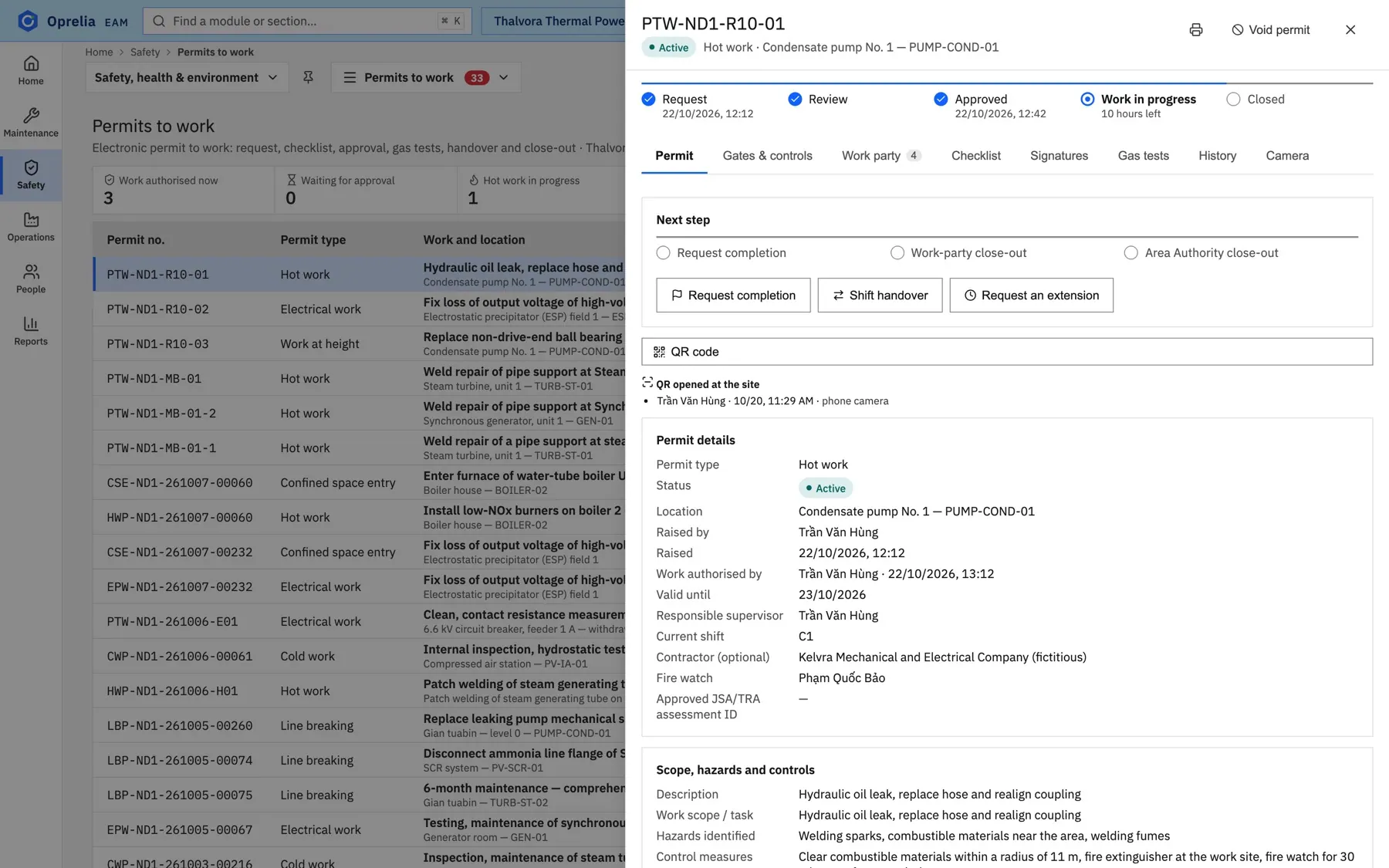
The work party, their training and the fire watch are recorded on the permit itself.
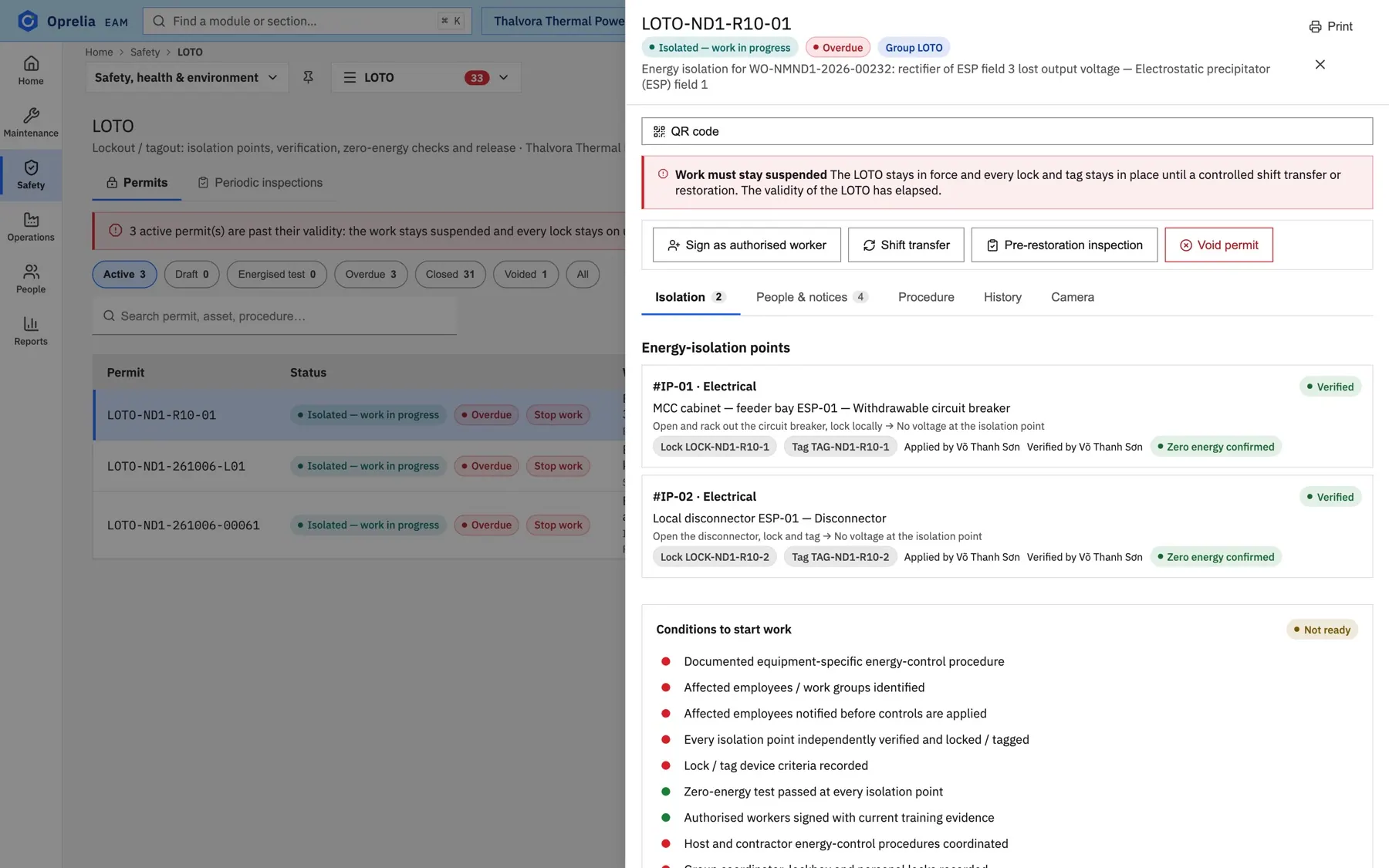
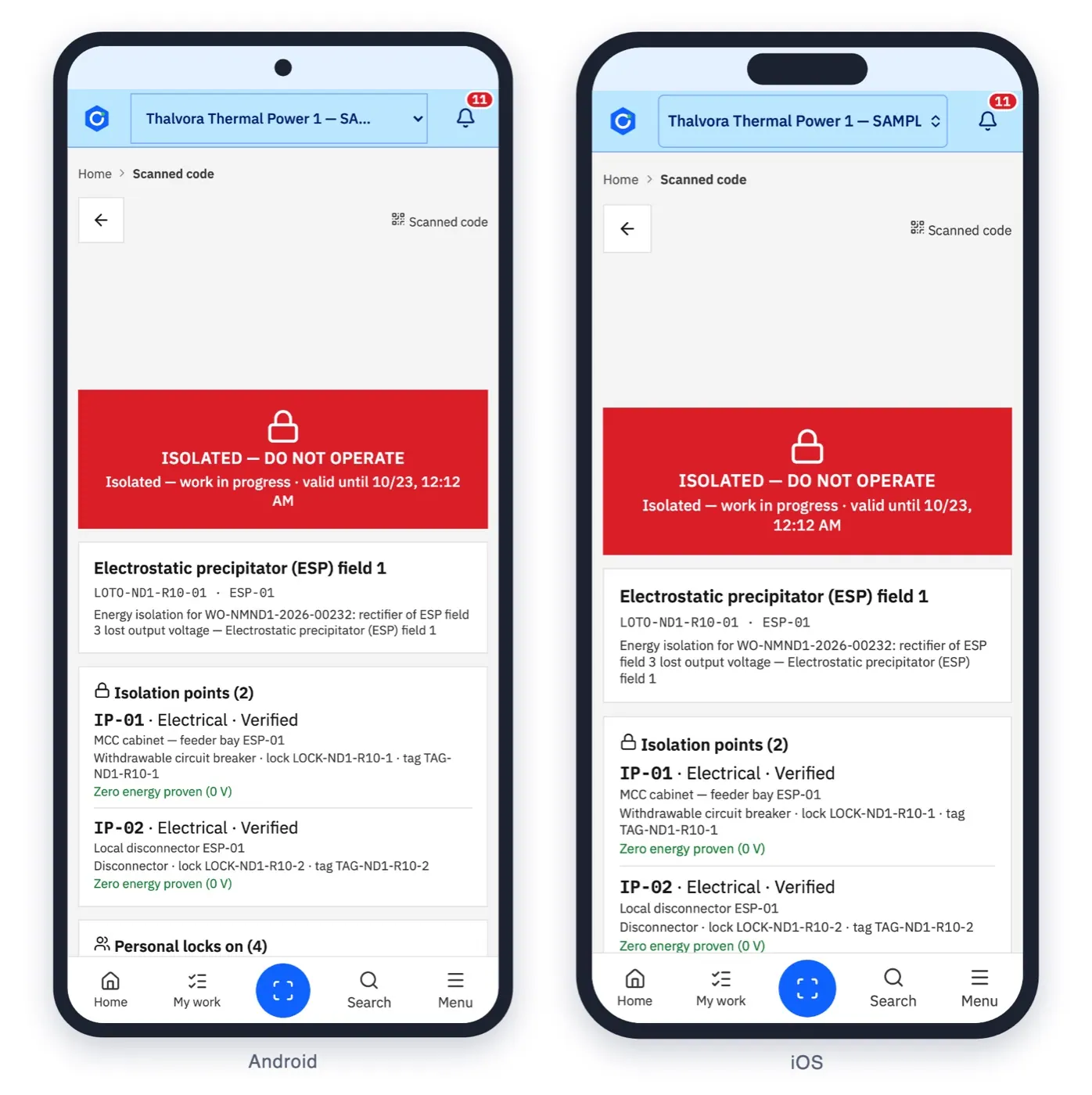
Every isolation point is locked, tagged and verified by a second person before work may start.
Parts leave the store with a scan on the phone and land on the work order's cost line.
When the lockout is released and the area handed back, the order closes and cost and history update on the asset.
Three pillars
Maintenance, safety and operations work from the same record of each asset and each job.
01
From the first request to the cost on the asset.
02
Permits, isolation and people, linked to the job.
03
Which machine can work, and when it is back.
Adapts without programming
An approval flow designer, custom fields, "when… then…" rules and personal dashboards. Every change is reviewed by a second person before it takes effect.
Add the fields your site needs to any record, bilingual from the start.
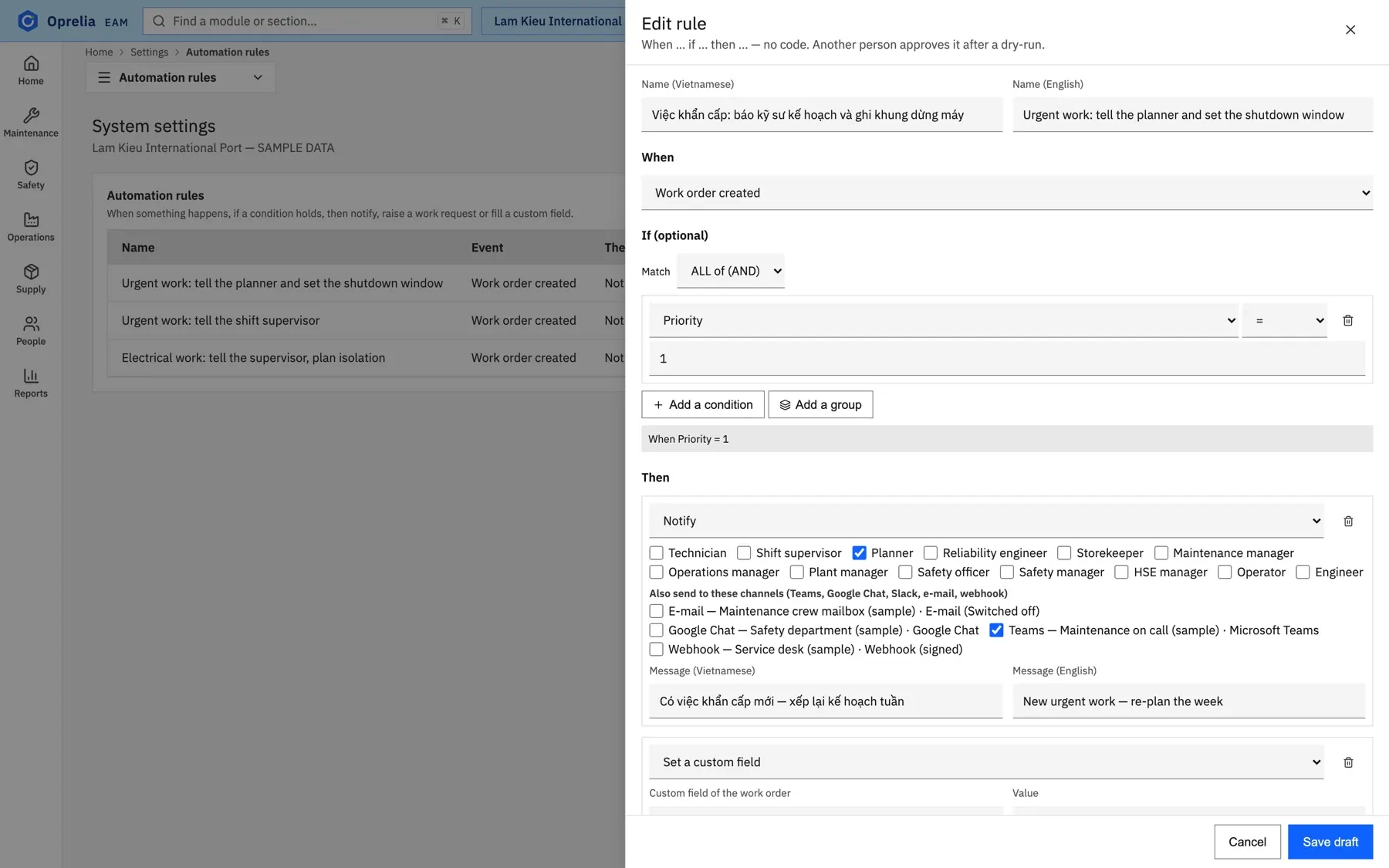
Notify, raise a request or fill a field when something happens. Another person approves after a dry-run.
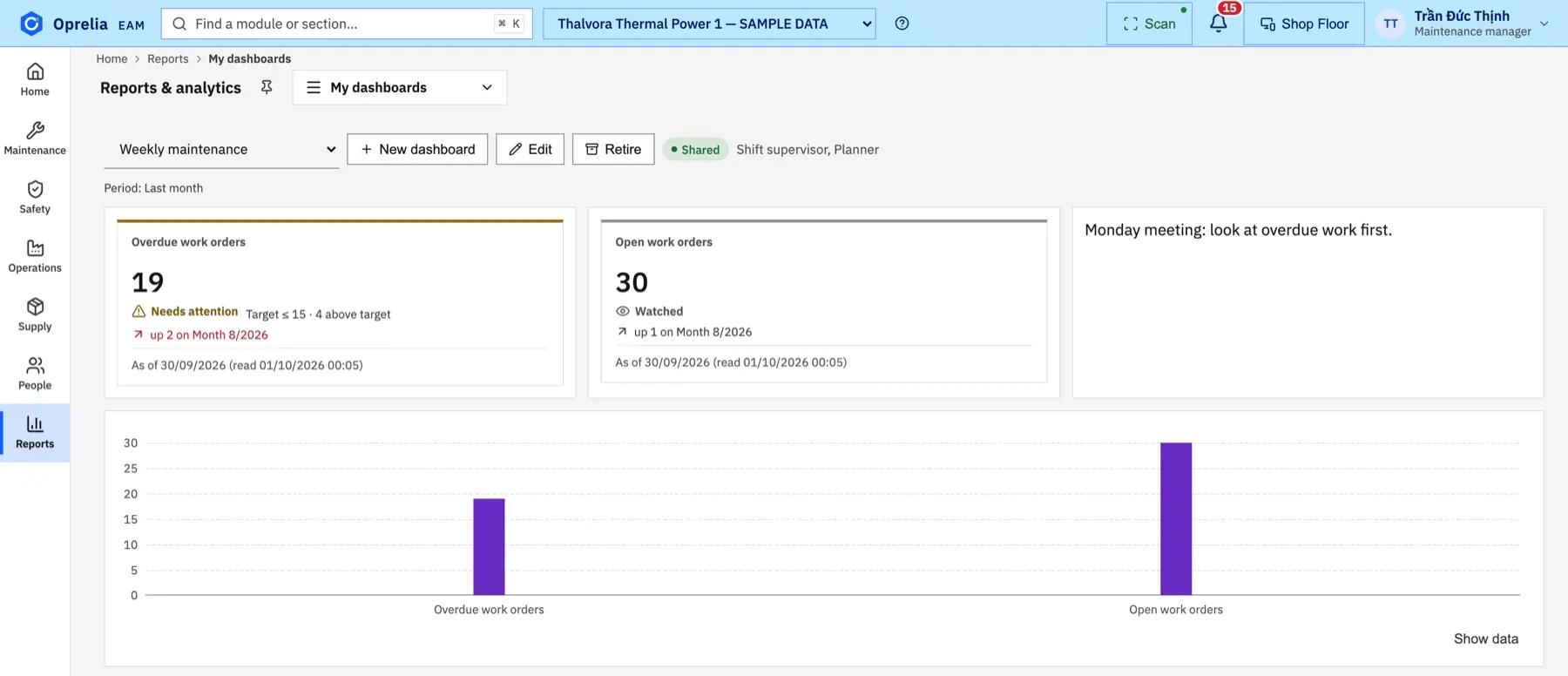
Each person builds the view they need and shares it with their team.
AI assistant
The assistant guides users step by step, explains why something is blocked, and answers questions about the user's own data with sources.
Mobile
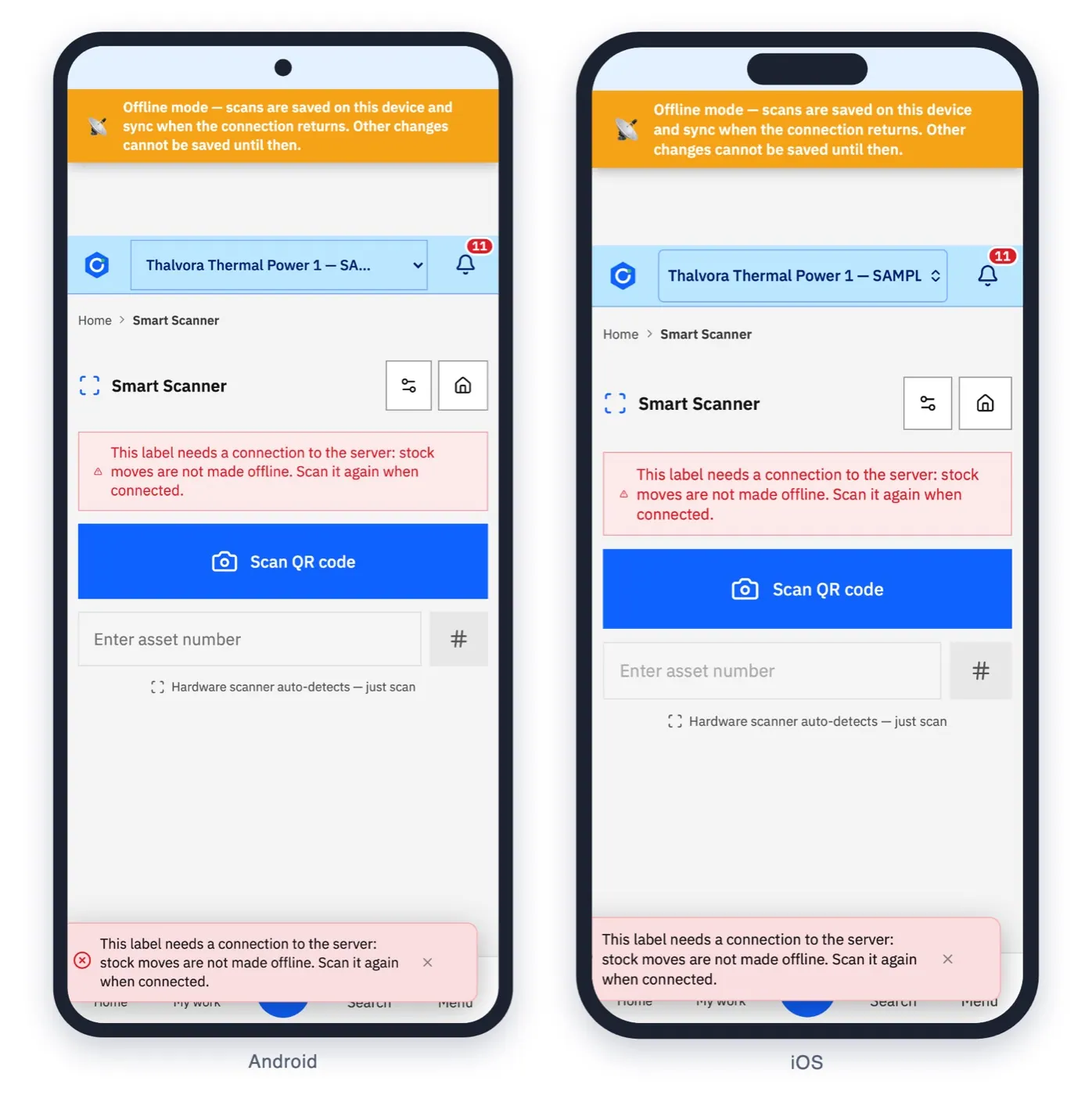
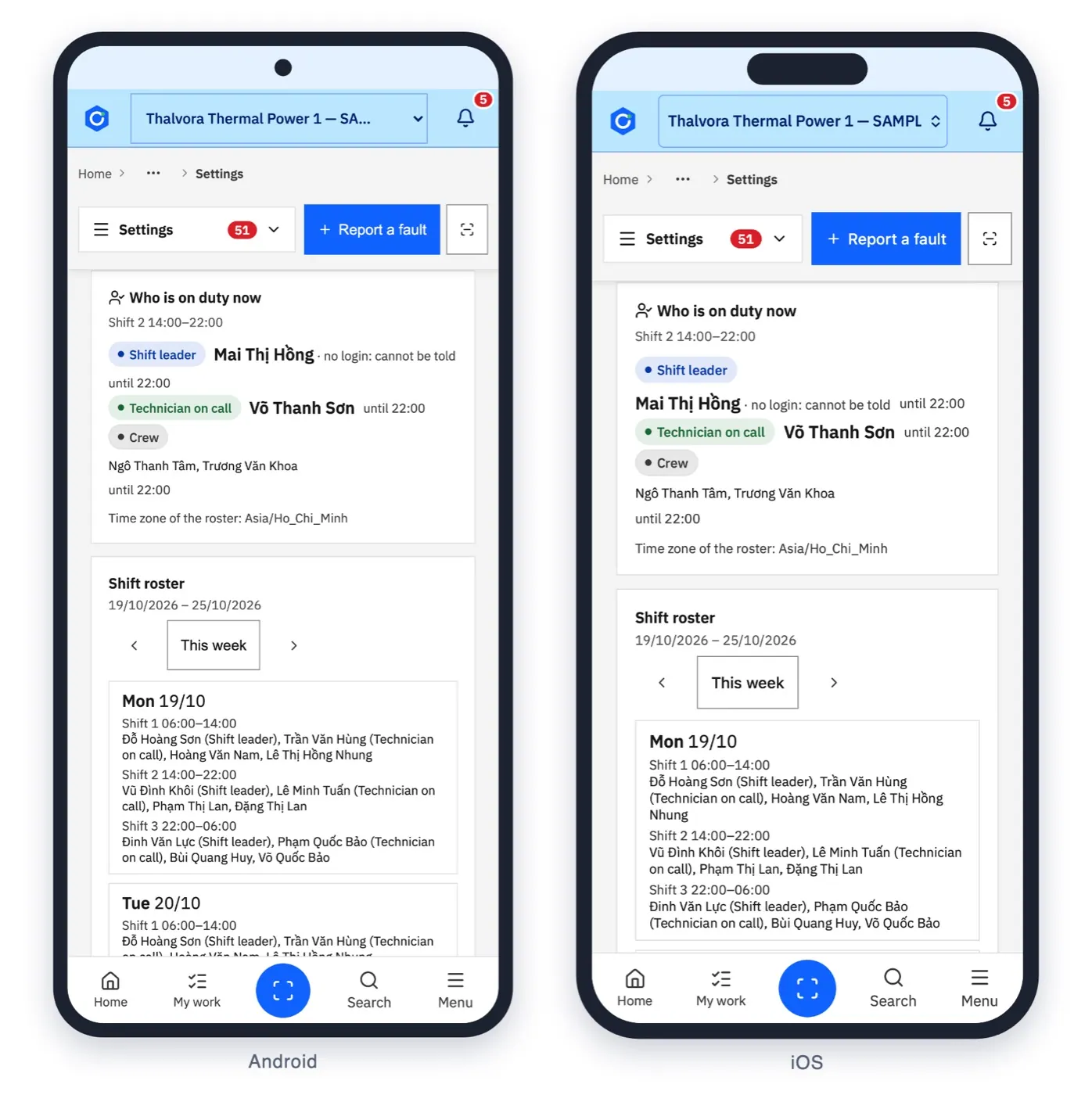
Android and iPhone. Every card is reached by scanning the code on the equipment, and the scan still works when the network does not.
Industries
Modules
Twenty-four areas in one installation. Switch on what each site needs.
The asset register by site and location, with history and cost.
Requests, work orders, planning and close-out.
Recurring maintenance plans and their forecast.
Failures, MTBF, MTTR and availability from closed work.
Spare parts on the shelf, issued by scan to the work order.
Purchase requisitions through the approval chain.
Approval chains drawn in a designer, with a time limit per step.
Non-conformance reports and their follow-up.
Permits to work, group lockout and zero-energy verification.
Incident reports with corrective and preventive actions.
Management of change, reviewed and approved before it takes effect.
Contractor companies, their people and their training.
Who works on site, with badges scanned onto permits.
Equipment under statutory inspection, emissions and energy records.
Shift log entries and handovers.
Indicators, dashboards and reports across sites.
Scan the code on the equipment, on Android or iPhone, even offline.
One installation for every site, with access by site.
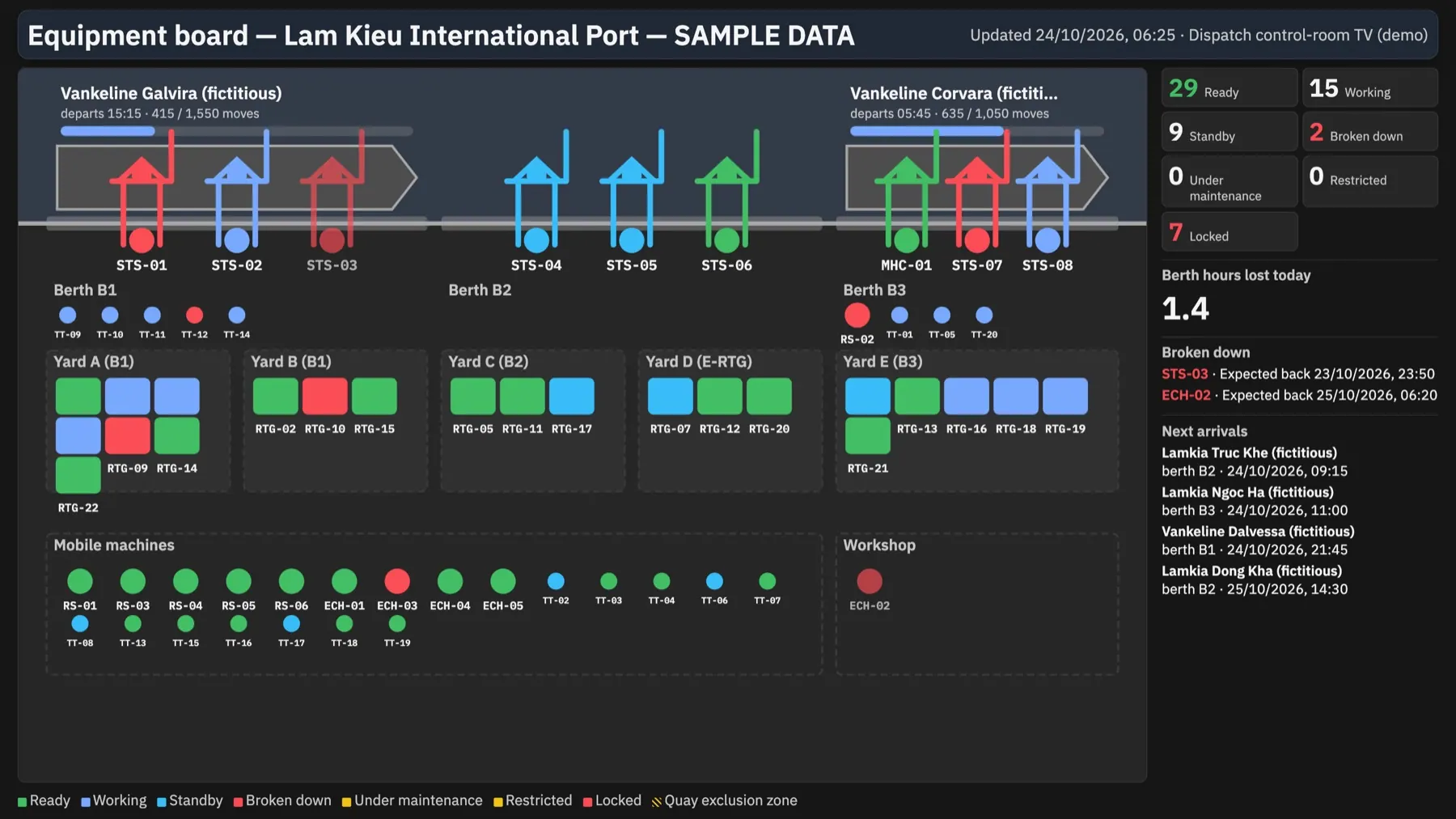
Which machine can work, with a live control-room display.
Custom fields, when… then… rules and approval flows, without programming.
Teams, Google Chat, Slack and e-mail.
Who is on which shift, and who is on duty now.
Links to the operations systems you already run, such as a TOS.
Explains why a step is blocked and answers with sources.
How it is deployed
One central installation, on your own servers, serves every site.
Each plant keeps working during network outages and catches up when the network is back.
The interface is bilingual, Vietnamese and English, with light and dark themes.
AI can run with a cloud provider or fully on the customer's own server.
Security & data
The controls a plant expects, built into the same system the technicians use.
Each person sees and does what their role allows, at the sites they are assigned to.
Every change is recorded: who made it, what changed and when.
Secrets the system stores are kept encrypted.
Install Oprelia on your own servers, with one central installation for all sites.
The assistant is read-only and works within the rights of the person asking.
About
Oprelia has been developed since 2021 by people who work in maintenance and safety.
We build what we want to use on site ourselves: one record for each job, as little typing as possible in the field, and safety steps that cannot be skipped. The current edition is Oprelia EAM 2026.
The modules, screens and deployment options in one document.
PDF · 11.4 MB · English
FAQ
Oprelia can be installed on your own servers. One central installation serves all your sites, so there is a single system to run and back up. Where it is hosted is agreed with your IT team for each project.
Your organisation does. When Oprelia is installed on your servers, the records stay there, and you control access and backups. Ownership and handling of data are also written into the contract.
Each site keeps working through network outages. Scans on the phone still work without a network, and the records catch up when the connection is back.
Oprelia connects to the operations systems you already run, such as a terminal operating system (TOS) or an ERP. Which data is exchanged, and in which direction, is agreed for each project.
Notifications can go to Microsoft Teams, Google Chat, Slack and e-mail.
The assistant is read-only: it never changes a record, and it reads only what the person asking is allowed to see. It can use a cloud provider or run fully on your own server, in which case the data does not leave your servers.
The interface is Vietnamese and English, with light and dark themes. Custom fields are bilingual from the start.
Pricing depends on the number of sites and modules — contact us for a quote.
Start with a demo: bring a pump, a crane or a permit you know well, and we walk through it in Oprelia, live. Then run a pilot at one site before you extend it to the others.
Bring a pump, a crane or a permit you know well. We walk through it in Oprelia, live.
Or write to us directly: